
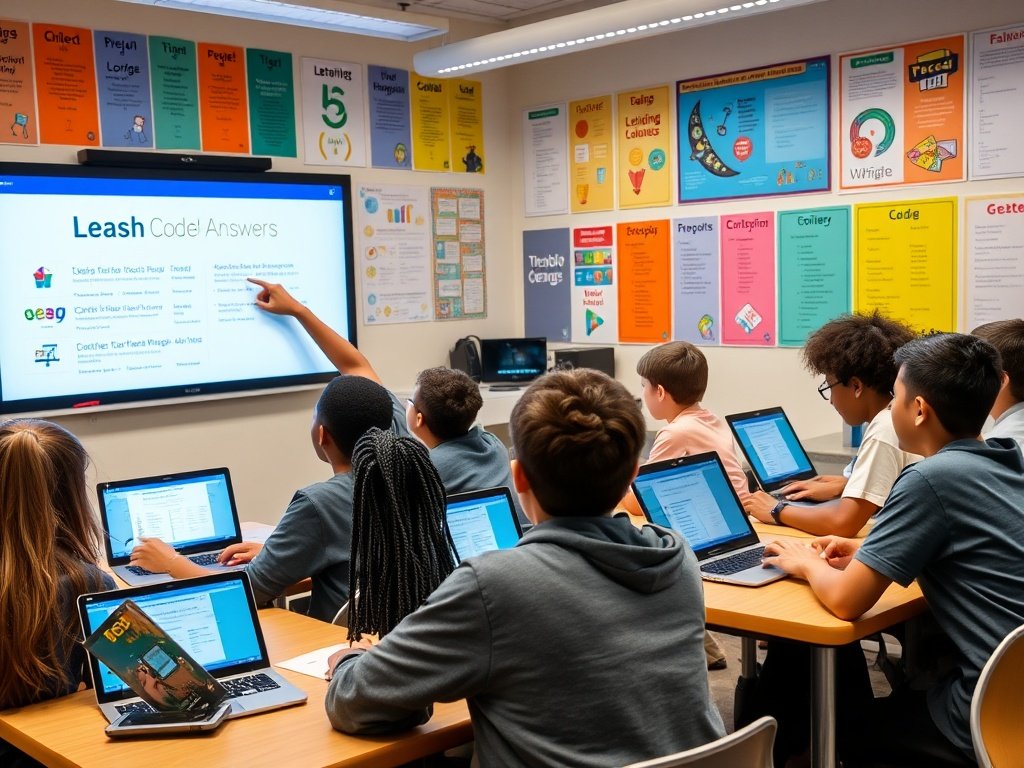
The exercise focuses on using a leash mechanic in CodeHS by controlling movement and connection between objects. To solve it, students must correctly implement variables, loops, and condition checks so the leash behaves as expected. The correct output ensures the object follows at a fixed distance while updating its position dynamically. Understanding logic flow and debugging small errors is key to completing this task successfully.
This guide explains how to solve the leash problem in CodeHS using simple programming logic and clear steps. It walks you through the structure of the task, explains how objects interact, and shows how to maintain a consistent distance using conditions and loops. You will also learn how to debug common mistakes students face and how to verify the correct output visually and logically. The tutorial is designed for beginners and intermediate learners who want a deeper understanding of how movement and control structures work in CodeHS exercises. By following the explanations, you can confidently complete the task and improve your coding skills.
Understanding the Problem Setup
What the Exercise is Asking You to Do
The exercise asks you to simulate a leash connection between two objects in CodeHS. One object moves freely, while the second object must follow at a controlled distance. This means you must calculate position changes and apply conditions so the following object does not move too close or too far away. The task is designed to help you practice coordinates, motion logic, and condition checking. By understanding how objects update their positions on the screen, you can better manage movement behavior in simple programs.
Key Concepts Behind the Solution
Variables, Distance, and Movement
To solve the task, you need to understand how variables store position values such as x and y coordinates. You also need to measure the distance between two objects and update that distance continuously. The logic involves checking if the follower object is outside the allowed leash range. If it is, you move it closer. If it is already within range, you keep it steady. These concepts are fundamental for interactive animations and games, making this problem a strong foundation exercise.
Step-by-Step Logic Breakdown
How the Code Should Flow
First, initialize the main object and the follower object. Then create a loop that constantly updates their positions. Inside the loop, calculate the distance between both objects. Add a condition that checks if the distance is greater than the allowed leash length. If true, move the follower object toward the main object gradually. This ensures smooth movement instead of sudden jumps. Finally, update the display so the movement appears continuous and natural on the screen.
Correct Output Expectations
What You Should See on Screen
When your program runs correctly, the main object should move freely based on user input or automatic movement. The follower object should remain attached like a leash, following smoothly behind at a fixed distance. It should not overlap or drift too far away. The motion should look stable and responsive. If the follower jitters or snaps suddenly, it means the distance calculation or update logic needs adjustment. Correct output is smooth, consistent, and visually balanced.
Common Mistakes Students Make
Errors to Avoid While Coding
Many students forget to continuously update positions inside the loop, which causes the follower object to stay stuck. Another common mistake is incorrect distance calculation, such as mixing up x and y coordinates. Some learners also forget to limit the movement speed, causing the follower to jump instead of glide. Missing condition checks can also lead to overlapping objects. Careful attention to logic flow and testing step-by-step can help prevent these common issues.
Debugging Tips for Beginners
How to Fix Logical Errors
If your solution is not working, start by printing the coordinate values to see if they are updating properly. Check your distance formula and make sure it is accurate. Then test your condition statements to confirm they trigger at the right time. You can also slow down movement speed to observe behavior clearly. Debugging is a process of isolating one issue at a time. Patience and small adjustments usually lead to the correct solution.
Also read this: CNLawBlog Reveals Key Trends Shaping Modern Chinese Law and Regulations
Importance of Loops in This Exercise
Continuous Movement Control
Loops are essential because they allow your program to update positions repeatedly in real time. Without a loop, the leash behavior would only calculate once and stop. By using a loop, you ensure the follower object continuously adjusts its position relative to the main object. This is how animation and interactive behavior are achieved in programming. Understanding loops here will help you build more advanced simulations later in your coding journey.
Role of Conditions in Movement
Keeping Distance Consistent
Conditions are used to check whether the follower object is within the allowed leash range. If the condition is true, you adjust its position. If not, you leave it unchanged. This prevents unnecessary movement and keeps the behavior realistic. Conditions help control program decisions and make your code responsive. Without them, both objects would move without any logical relationship, breaking the purpose of the exercise.
Using Functions for Cleaner Code
Organizing Your Solution
Creating small helper functions for calculating distance or updating position can make your code easier to read and manage. Instead of repeating the same logic multiple times, you write it once and reuse it. This improves code quality and reduces errors. Clean structure also helps when debugging because each function has a clear responsibility. This is a good habit for future programming tasks.
Performance and Smooth Animation
Improving Movement Quality
Smooth animation depends on small, consistent position updates. If the movement step is too large, the follower will jump abruptly. If it is too small, it may lag behind. Finding the right balance is important. You can adjust speed values and test different settings until the motion looks natural. This teaches you how performance and visual quality are connected in programming projects.
Practical Learning Outcomes
Skills You Gain From This Task
By completing this exercise, you improve your understanding of coordinate systems, loops, conditions, and object interaction. These skills are essential for building games, simulations, and interactive applications. You also develop problem-solving skills by breaking down a task into smaller logical steps. This exercise is not just about getting the correct answer but also about building a strong coding foundation.
Real-World Applications
Where This Logic Is Used
The leash-style following behavior is used in many real-world applications such as game characters following a player, camera tracking systems, and object alignment in animations. Learning how to maintain a fixed distance between moving objects is useful in robotics and simulations as well. This shows how a simple classroom problem can relate to real-world programming concepts.
Practice Variations for Better Understanding
H3: Extending the Exercise
You can modify the program by changing the leash length or adding multiple follower objects. Another variation is to change the speed dynamically or add boundaries so objects cannot leave the screen. These small modifications help you experiment and strengthen your understanding of movement logic. Practicing variations ensures you fully grasp the concept rather than memorizing a single solution.
Final Solution Summary
The correct approach involves initializing objects, continuously updating positions, calculating distance, applying conditions, and adjusting movement gradually. When all these parts work together, the follower object behaves like it is attached by a leash. The logic becomes clear and predictable. This structured approach ensures that your program produces the correct output every time you run it.
Conclusion
This guide to 9.7.4 leash codehs answers shows that understanding logic is more important than memorizing code. When you focus on how movement, distance, and conditions work together, the solution becomes simple and clear. Practice regularly, test your code, and learn from small mistakes. Once you master this concept, you will find it much easier to solve similar problems in CodeHS and other programming environments.
FAQs
1. What is the main goal of this exercise?
The goal is to maintain a fixed distance between two moving objects using logic and conditions.
2. Why is my follower object not moving?
You may not be updating its position inside a loop or your condition may never trigger.
3. How do I calculate distance correctly?
Use the difference between x and y coordinates and apply a distance formula.
4. Why does my object jump suddenly?
Your movement step may be too large or not properly controlled.
5. Can I change the leash distance?
Yes, you can modify the distance value to make the follower closer or farther.
6. Is this concept used in real projects?
Yes, it is used in games, animations, and tracking systems.
7. How many times should I use the keyword in my article?
Use it naturally and sparingly, like in this guide on 9.7.4 leash codehs answers.
Fore more info: Ventsinsights.co.uk
